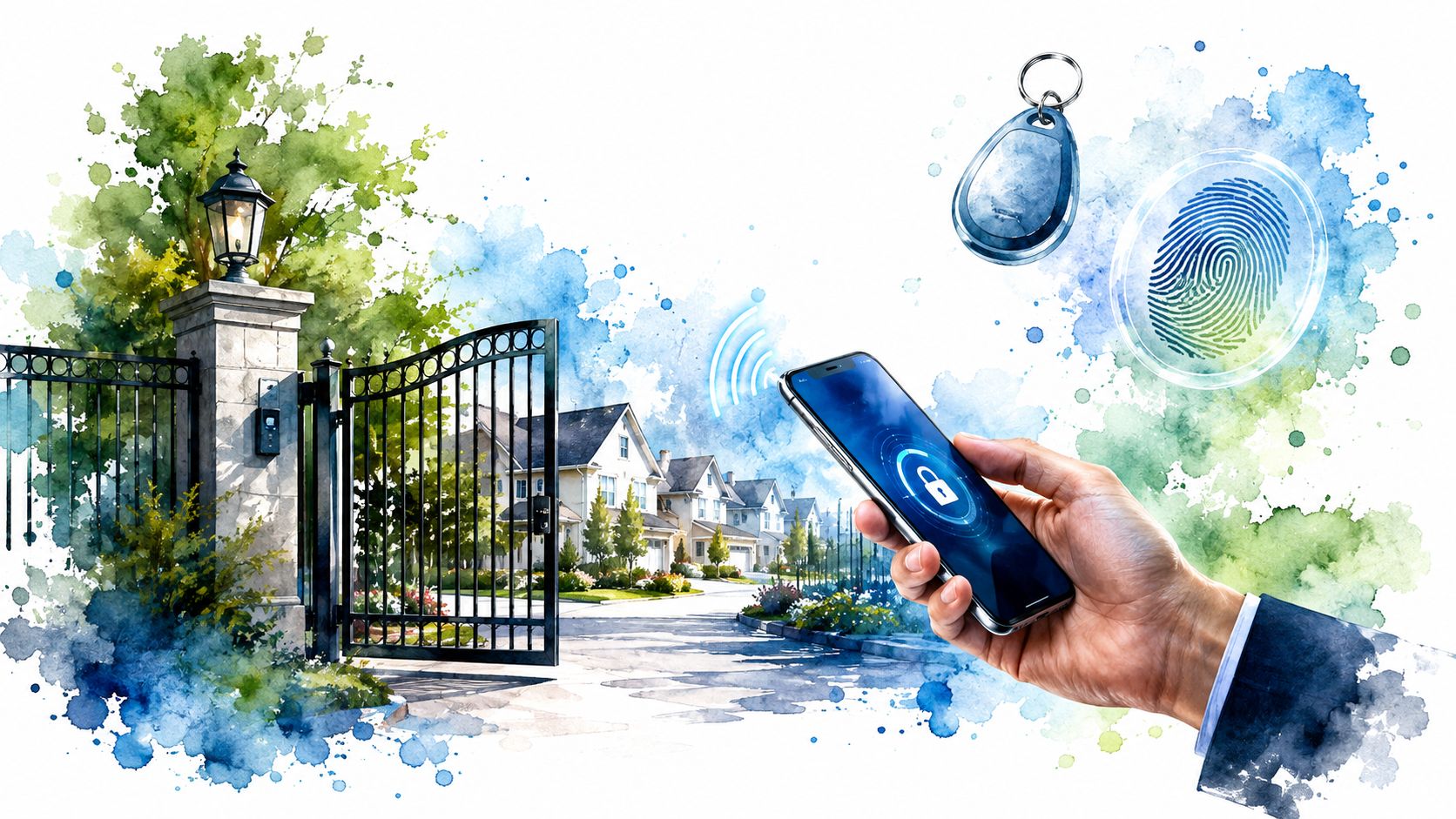
Rain is tapping against the clubhouse windows, the gate is stuck open, and a homeowner is calling because a former tenant's key fob still works. The board president wants better security, but doesn't want residents stranded during a power outage, forced onto smartphones, or handed a system nobody can administer.
That's the access-control decision for an HOA or COA. It isn't a choice between fobs, mobile apps, gates, and biometrics. It's a governance decision about resident safety, daily convenience, privacy, maintenance, data ownership, and board accountability. The right system should make life easier for homeowners while giving the board a defensible way to control credentials, review incidents, and manage turnover.
Why Homeowners and Boards Care About Access Control
A gate can be closed and still leave residents exposed. A stranger follows a homeowner through the vehicle entrance, a contractor uses an expired code after hours, or a lost fob remains active until the management office reopens. These ordinary failures show whether the association's access policy works in daily life.
Homeowners experience the consequences first. Residents expect shared streets, parking areas, pools, gyms, and clubhouses to be used by people with a legitimate reason to enter. They also expect access to work after a late shift, during a delivery, or when a family member needs help. Security that creates constant lockouts isn't a successful resident experience.
For the board, access control is a policy and accountability decision. Directors must set rules for common areas, guests, vendors, residents, renters, and employees. They must also decide how quickly credentials are removed after a sale, lease termination, employee departure, or contractor assignment. NIST-aligned guidance describes electronic physical access control as a managed process involving authorized users, procedures, devices, digital identity, authentication, and credential lifecycle management. NIST-aligned access control guidance for community associations reinforces the practical point: a credential that remains active after occupancy changes reflects a governance failure, not just a technical oversight.
The resident experience comes first
The board should test every proposed feature with one question: Will this help a normal homeowner use the community safely and reliably? That review must include residents without smartphones, people with disabilities, older homeowners, renters authorized by owners, and guests who need temporary access. A system that works well only for the most technically comfortable residents is poorly chosen.
Access control can also support daily operations. Visitor records may help investigate a disputed incident. Time-limited permissions can reduce uncontrolled contractor entry. Amenity credentials can follow association rules instead of relying on a shared key or code that circulates indefinitely.
The board's responsibility is lifecycle control
Installation is only the start. Someone must issue credentials, suspend them, replace them, review logs, answer lockout calls, maintain hardware, and document exceptions. The board should assign those duties before approving equipment. Advanced hardware without clear ownership leaves the association with an expensive, unmanaged obligation.
Access control is established technology, but that does not settle the community's policy questions. Directors still need to decide who receives access, what records are retained, who can review them, and how exceptions are approved. Homeowners judge the system by reliable entry and fair treatment. Boards judge it by whether the rules can be administered, explained, and enforced consistently.
What an Access Control System Actually Does
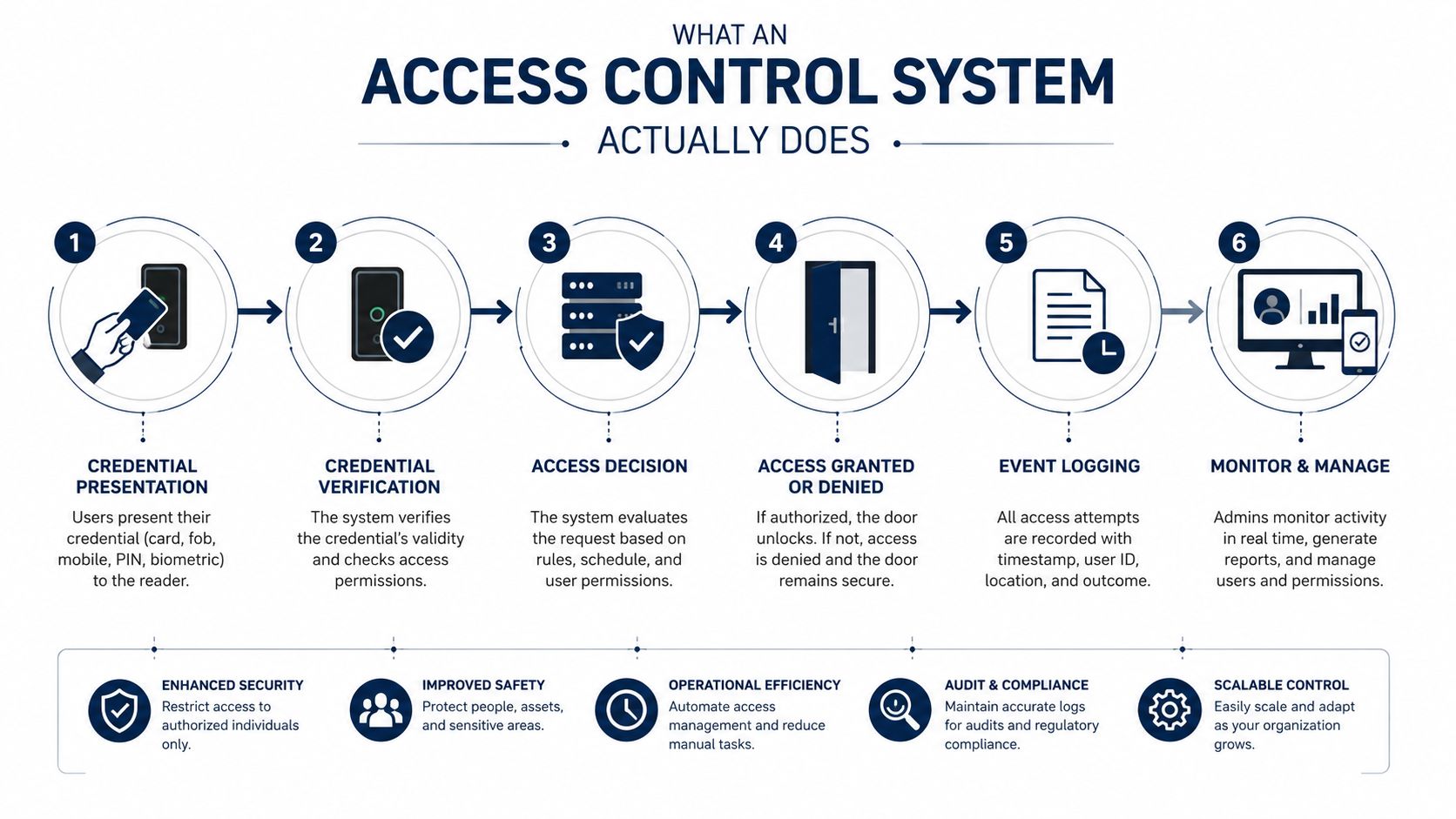
Think of an access control system as a digital bouncer for the community. A traditional lock asks whether someone has a key. An electronic system asks who is presenting a credential, what are they allowed to access, and is access permitted at that time?
The process usually works like this:
- A resident presents a credential. That credential might be a key fob, card, PIN, phone app, or biometric identifier.
- A reader receives the credential. The reader may sit beside a pedestrian door, vehicle gate, clubhouse entrance, or amenity.
- The reader sends the credential data to a controller. The controller is the local decision-making hardware.
- Management software checks the access rules. The system compares the credential with approved users, locations, schedules, and restrictions.
- The controller grants or denies entry. If the rules match, the gate opens or the lock disengages.
- The event is recorded. Successful entries, denied attempts, credential changes, and administrative actions can form an audit trail.
The four building blocks
Credentials identify the user. A fob is simple and familiar. A mobile credential can support remote guest access. A PIN is easy to issue but can be shared. Biometrics identify a person through a physical characteristic, but they require enrollment and a clear privacy policy.
Readers collect the credential. The reader's location, weather protection, accessibility, and ability to communicate with the controller affect the daily experience. A reader that works only when residents stand at a precise angle may pass a demonstration and fail during a rainy evening.
Controllers make the decision. The controller applies the rules. Boards should ask whether it can continue making appropriate decisions during an internet interruption, how it receives updates, and what happens when power fails.
Management software governs the system. Administrators add users, set schedules, revoke credentials, review events, and generate reports. This administrative layer matters more than a polished reader because weak user management can leave former residents, vendors, or lost credentials active.
Boards that want a broader explanation of how these components work across public and commercial environments can review this guide to access control systems for venues from GM GROUP Services. The principles translate well to residential communities, especially where one platform serves gates, doors, amenities, and temporary visitors.
The Main Types of Access Control Systems
The right system is the one residents can use, managers can administer, and the association can maintain. A feature-heavy platform is not automatically safer. A low-traffic community may create unnecessary privacy and accessibility work by choosing biometrics, while a larger community with several entrances may lose control if it relies on one shared PIN.
Boards should choose by governance need, not by a vendor's feature list. Ask who needs access, which entrances require control, how credentials will be revoked, and what the association can support after installation.
| System Type | Best For | Key Advantage | Potential Drawback |
|---|---|---|---|
| Gate operators | Vehicle and pedestrian entrances | Controls a physical barrier and can coordinate with other devices | Mechanical failures can interrupt entry and exit |
| Key fobs and cards | Communities seeking familiar credentials | Simple, durable, and easy to issue | Fobs can be lost, shared, stolen, or duplicated |
| Mobile access | Residents comfortable using smartphones | Remote updates and temporary guest permissions | Phone, app, battery, or connectivity problems can create lockouts |
| Biometric readers | Higher-security locations with controlled enrollment | Connects access to a physical trait rather than a transferable fob | Privacy, consent, accessibility, and threshold questions require policy |
| Cloud-based platforms | Boards or managers overseeing multiple locations | Centralized administration and remote visibility | Subscription dependence and internet or vendor reliance |
| On-premises platforms | Associations with local control or specific data requirements | Less dependence on an external cloud service | Local hardware and technical support remain the association's responsibility |
Gate operators and traditional credentials
Gate operators remain the visible backbone of many communities. Swing, slide, and vertical lift gates can control vehicles, while separate pedestrian readers protect walk-in routes. License plate recognition may improve convenience, but it should supplement a dependable resident credential and a backup entry process.
Fobs and cards remain practical for many associations. Residents understand them, they do not require a smartphone, and management can issue replacements through a defined process. The board must set clear rules for lost credentials, replacements, deactivation, and former residents. A lost fob remains active until someone disables it.
A community with controlled vehicle boundaries may also be considered a gated community, but the gate does not define the entire security program. Boards still need rules for pedestrians, deliveries, emergency access, and residents who cannot use the primary credential.
Mobile and cloud access
Mobile credentials can simplify visitor access. A resident can send a temporary digital pass instead of lending a permanent fob, and an authorized manager may update permissions without traveling to the gatehouse. That convenience is valuable when the community has frequent vendors, guests, or multiple controlled entrances.
The tradeoff is dependence on phones, applications, batteries, internet service, and the vendor's platform. Ask what residents can do during an outage and whether the controller can continue applying local rules. A hybrid arrangement, such as mobile access with fobs and local controller decisions, usually provides better continuity than an all-or-nothing migration.
Cloud platforms also raise a records question. Determine where access data is stored, who can view it, how administrators are removed, and whether the association can retrieve usable records if it changes providers. On-premises platforms reduce dependence on an external cloud service, but the association then owns local hardware, updates, backups, and technical support.
Biometrics require stronger governance
Biometric readers connect access to a physical trait instead of a transferable credential. That can strengthen identity checks, but it creates obligations involving enrollment, consent, privacy, accessibility, retention, and alternate access. The board should adopt those policies before approving the equipment.
Lowering the False Accept Rate, or FAR, generally increases the False Reject Rate, or FRR. Tighter settings may reduce unauthorized acceptance while causing more legitimate denials. Technical benchmarks in the biometric performance research place fingerprint FAR around 0.001% to 0.1% in some contexts, while face recognition may be closer to 0.1% to 10%, depending on the environment and use case.
Those figures do not justify choosing facial recognition by default. Require a demonstration under the community's actual lighting, weather, traffic, and resident conditions. Keep a non-biometric option for residents who cannot or do not want to enroll.
For operating procedures, boards can review Nutmeg Technologies' security tips, especially its guidance on credential issuance, administrator access, and maintenance responsibilities. The board's final decision should match the community's risk, budget, staffing, and tolerance for vendor dependence.
Benefits and Risks Every HOA Should Weigh
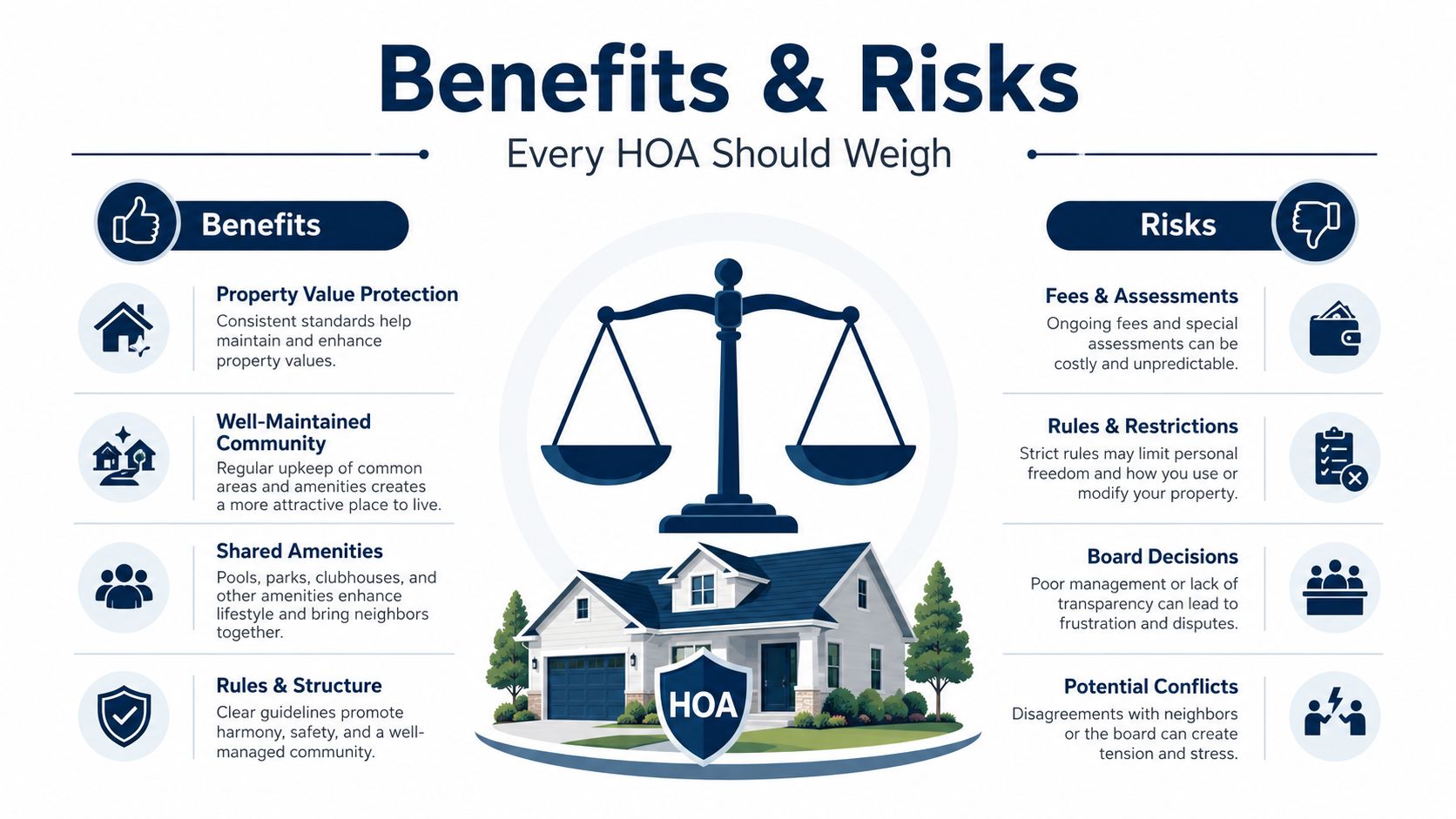
Access control can improve safety and administration, but no system eliminates risk. The board's job is to decide which risks the association will reduce, which it will accept, and how it will respond when the system fails.
What the association may gain
A controlled entrance can reduce casual unauthorized entry and make tailgating more difficult. Credential events can create a useful record when the association needs to investigate damage, a disputed amenity visit, or repeated denied attempts. Faster remote access can help a manager or authorized staff member assist a resident without driving to the property.
The system may also support cleaner visitor management. Temporary permissions can expire instead of becoming permanent shared codes. Better control over common areas can support consistent enforcement of amenity rules and may help the community present a more orderly security posture to insurers, although a board shouldn't assume a premium discount without written confirmation from its carrier.
What the board may inherit
Vendor lock-in can limit future choices if the credentials, controllers, or data exports work only with one provider. Outages can turn a network, power supply, cellular connection, or cloud platform into a single point of failure. Cybersecurity exposure grows when controllers and management accounts connect to external networks, especially if administrators reuse passwords or vendors fail to patch equipment.
Resident resistance is predictable when a board removes familiar fobs or makes a phone the only practical credential. Biometrics create additional concerns about consent, accessibility, data retention, and the consequences of a false rejection. A biometric standard defines FAR as the proportion of false biometric claims incorrectly accepted, and the ISO/IEC 19795-1 reference explains how the metric is calculated and used for performance evaluation.
Board judgment: A system is only as strong as the association's process for revoking credentials, maintaining equipment, and helping residents who can't use the preferred access method.
Finally, physical design matters. A gate that blocks an accessible pedestrian route, creates unsafe egress, or lacks a practical emergency procedure can expose the association to complaints and liability. Deferred maintenance creates a separate fiduciary problem because the board knows the system protects common property but chooses not to keep it operational.
How to Choose the Right System for Your Community
Start with the property, not the vendor demonstration. A board should walk every vehicle gate, pedestrian gate, clubhouse door, pool entrance, package area, call box, fire route, and service entrance. Document existing wiring, power, network availability, mechanical condition, camera coverage, and locations where residents already experience delays or failures.
Build the decision around use cases
Write down who needs access and why:
- Owners and tenants need reliable everyday entry.
- Guests need temporary permissions that can expire.
- Contractors and vendors need limited access tied to an assignment or schedule.
- Managers and staff need administrative access that is logged and reviewed.
- Emergency responders need a documented, tested method to enter.
- Service providers may need recurring access without receiving unrestricted credentials.
Then decide which credential types fit those needs. My recommendation for most communities is a hybrid credential strategy, with fobs or cards available even if the association adds mobile access. The board should not make smartphone ownership, battery life, or app familiarity a condition of ordinary access.
Compare architecture and administration
Ask whether controllers make local decisions during an internet interruption. Confirm how the system behaves during a power outage, whether battery backup exists, and how administrators recover access if the cloud account is unavailable. Review export formats, API availability, role-based permissions, audit logs, and the process for transferring data when the management company or vendor changes.
Integration should reduce duplicate work, not create a new administrative burden. If the association uses community-management software for homeowner records, work orders, or accounting, define which system owns each field and how updates are reconciled. Community association management software can be part of that broader administrative conversation, but the board must still document the exact integration responsibilities.
Use a written vendor scorecard
Require each bidder to answer the same questions. Verify licensing, insurance, relevant R-130 or equivalent credentials, local service coverage, response expectations, training, warranty terms, parts availability, data ownership, and recurring charges. Ask for references from communities with comparable gates and resident needs, not merely large commercial facilities.
| Evaluation Criteria | Vendor A | Vendor B | Vendor C |
|---|---|---|---|
| Credential options and backup method | |||
| Local service and emergency response | |||
| Outage and recovery plan | |||
| Data ownership and export rights | |||
| Warranty, parts, and maintenance | |||
| Training and administrator permissions | |||
| Full recurring cost disclosure |
The board should approve a documented specification, record why it selected the system, and invite resident feedback before signing. That creates a defensible decision based on risk and lifecycle, not the most impressive sales presentation.
Budgeting, Procurement, and Long-Term Costs
The installation quote is only the first page of the financial decision. A board that compares only hardware prices may discover later that the association also pays for software licenses, cellular service, cloud subscriptions, support, replacement batteries, fob reorders, network work, emergency calls, and mechanical repairs.
Separate the budget into capital costs and recurring costs. Capital costs may include gates, operators, readers, controllers, cabling, power work, cameras, call boxes, and installation labor. Recurring costs may include platform subscriptions, cellular connectivity, software support, preventive maintenance, replacement credentials, battery service, and administrator time.
Demand a total cost of ownership proposal
Every request for proposal should require bidders to disclose:
- Initial installation: Hardware, construction, wiring, configuration, testing, permits, and training.
- Ongoing service: Preventive maintenance, emergency response, replacement parts, and software support.
- Administrative labor: Credential issuance, resident support, report review, and turnover updates.
- Exit costs: Data export, credential migration, controller replacement, and termination fees.
- Renewal terms: Subscription changes, automatic renewals, and price-adjustment provisions.
A cheaper system can become more expensive over its useful life if parts are proprietary, local technicians are scarce, or managers must perform manual workarounds. Conversely, a higher initial price may be justified when the equipment can reuse existing infrastructure, support multiple credential types, and remain serviceable without a full replacement.
Match funding to the asset
Ask whether the association should use reserves, the operating budget, or a special assessment. The answer depends on the governing documents, reserve study, asset condition, and whether the work replaces an existing component or adds a new capability. The board should obtain legal and accounting guidance before assigning costs or promising residents that a particular funding source is permissible.
A budget template can help organize the categories, but it won't replace property-specific estimates. Boards can use the homeowners association budget template as an administrative starting point, then add the actual service, licensing, maintenance, and replacement assumptions from each bidder.
Procurement rule: Don't approve a multi-year contract until the board knows who owns the data, who maintains the equipment, what failure response includes, and how the association leaves the platform.
Implementation Best Practices for a Smooth Rollout
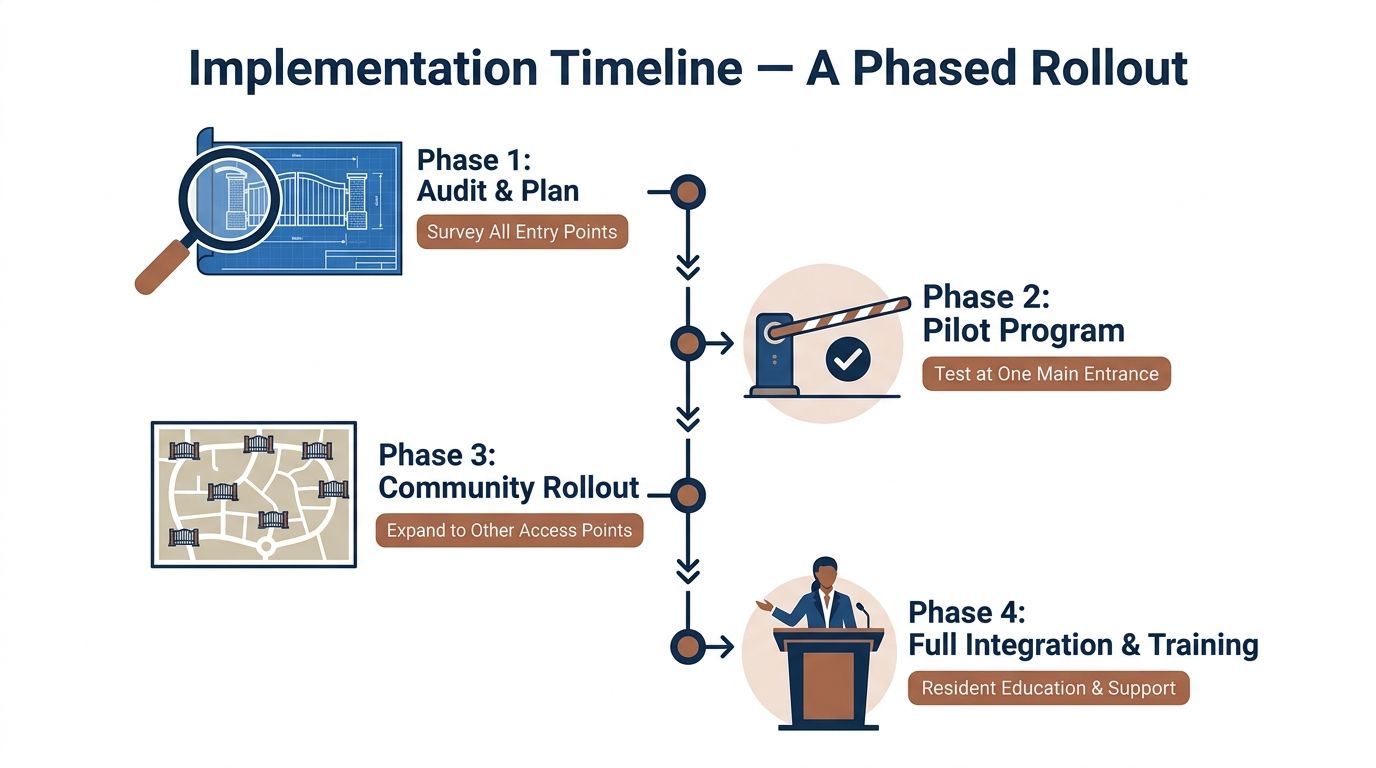
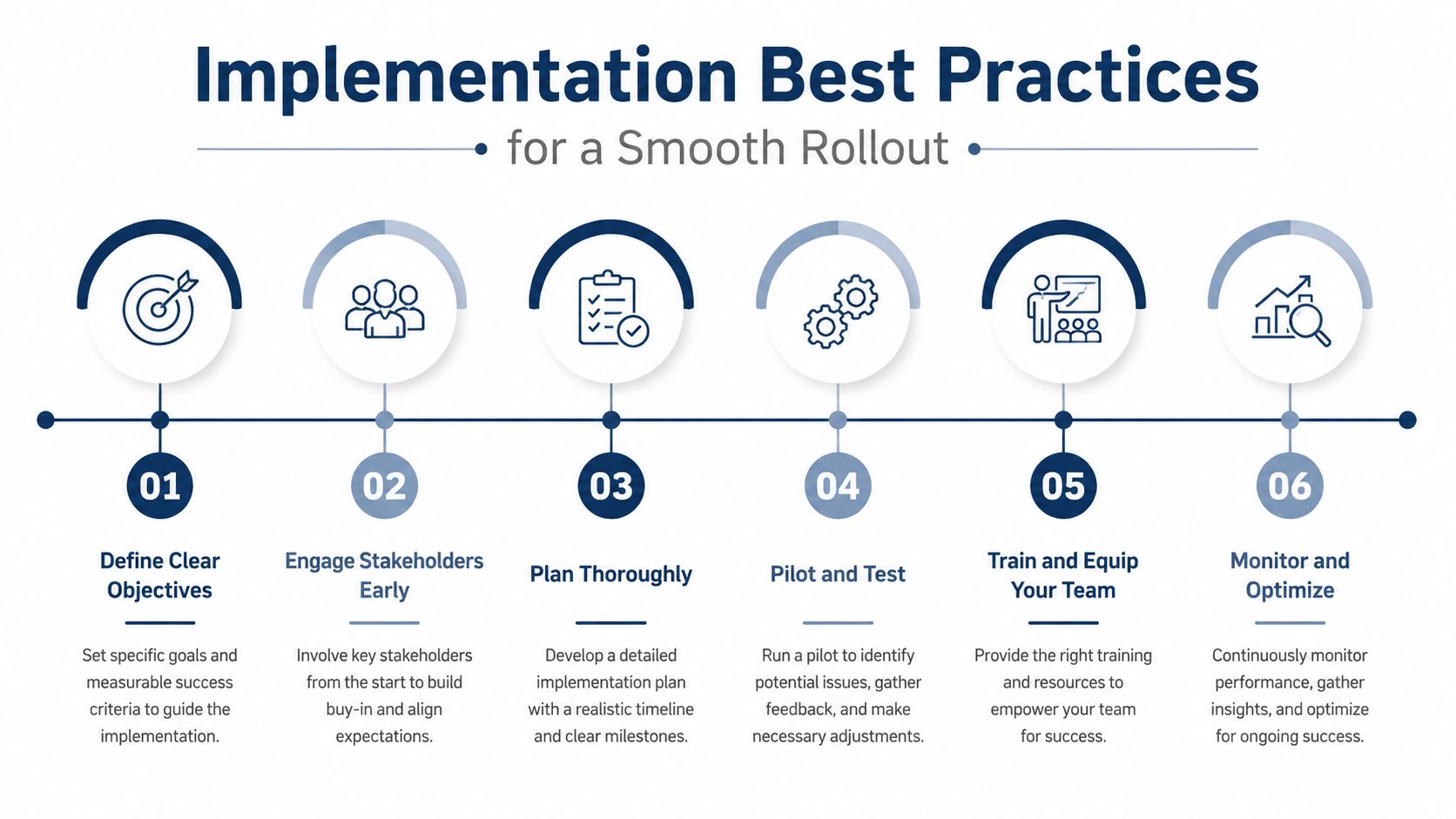
A phased rollout is the responsible choice for most communities. Changing every gate and amenity door at once creates too many simultaneous failure points, especially when residents have different vehicles, phones, schedules, accessibility needs, and credential histories.
Begin with an audit and pilot
Survey all entry points, including pedestrian routes, emergency access, call boxes, amenity doors, service entrances, and existing wiring. Map access groups for owners, tenants, guests, contractors, staff, emergency responders, and recurring service providers.
Test the proposed configuration at one main entrance before expanding. Confirm that readers recognize credentials, controllers make the right local decisions, gates open and close safely, activity records are accurate, and managers can revoke access without vendor intervention.
Communicate before activation
Residents need more than a launch email. Provide clear instructions, enrollment deadlines, temporary alternatives, replacement procedures, and a simple channel for reporting failures. Keep a reliable entry method available during the transition, and tell residents exactly who can issue, suspend, replace, or revoke credentials.
Training must include board members, managers, front-desk staff, maintenance personnel, and residents. A platform that only one administrator understands is an operational risk.
Monitor the first operating period
After activation, review denied attempts, reader failures, gate queues, tailgating reports, help-desk requests, and emergency procedures. Schedule preventive maintenance for readers, cameras, batteries, backups, gate operators, and software. Record configuration changes, approvals, resident opt-ins, incidents, warranty work, and vendor visits.
Do not connect the platform to other community databases until the association has assigned ownership for each record and established how updates occur. A clean rollout protects current homeowners while giving the board evidence to correct problems before the entire community depends on the new system.
Common Questions Boards Ask About Access Control
Boards should answer these questions in resolutions, contracts, vendor records, and resident communications. Informal assurances disappear when a manager, board, or vendor changes.
| Question | Required Board Decision |
|---|---|
| Who owns resident data and activity logs? | Define ownership, access rights, exports, retention, and transfer terms |
| What happens when management or the vendor changes? | Require a documented transition and usable data export |
| What alternatives exist for residents without smartphones? | Preserve fobs, cards, PINs, or another approved credential |
| How will accessibility and emergency egress be protected? | Review pedestrian routes, controls, intercoms, gates, and applicable rules |
| Can existing fobs continue working? | Decide whether to preserve, migrate, or replace them |
| How are biometric records governed? | Establish consent, access, retention, alternatives, and complaint procedures |
| What happens during power or network failure? | Approve backup entry, local decision rules, and emergency procedures |
| How long are logs retained? | Set a documented period based on investigations, contracts, and risk |
| Who receives alerts and responds to failures? | Assign responsibility and service expectations |
| Are recurring fees fully disclosed? | Approve the complete cost schedule before contracting |
Existing fobs don't automatically have to work with a new platform. The board should ask about interoperability, master credentials, migration tools, and whether a phased transition can preserve working credentials while new accounts are verified.
Most associations shouldn't make biometrics the only option. FAR is a defined performance measure, not a guarantee of perfect operation, and the CDVI explanation of FAR and FRR reinforces why convenience and security must be balanced for resident-facing systems.
Audit retention also needs a written policy. NIST SP 800-171 doesn't prescribe one universal day count, while DFARS 252.204-7012 requires relevant incident data to be preserved for at least 90 days from the incident in the circumstances covered by that rule, as explained by Phaethon Security's audit-log guidance. The CIS Critical Security Controls v8.1 specify retaining audit logs across enterprise assets for at least 90 days, which gives boards a concrete baseline to consider, not a universal HOA legal mandate.
Access Management Group helps associations manage the administrative side of community operations, including resident-facing login workflows for requests and community documents, alongside community management and accounting processes. Visit Access Management Group to discuss how disciplined credential records, resident communication, and association management can support a safer, more accountable access-control program.